
Support
Enigma_AI Mobile Application
In-app contact only
Need a hand with EnigmaAI, or have an amazing idea you’d like to share as a feature request? Our team is available directly inside the EnigmaAI mobile application, whether you’re reaching out for help or pitching something new. There is no public support email address; this is a deliberate part of how we operate.
01 How to Reach Support
To contact the EnigmaAI support team, you must use the contact form built into the mobile application. To get there:
- Open the EnigmaAI app on your iOS or Android device.
- Log in to your account (Pro or Free).
- Go to Settings.
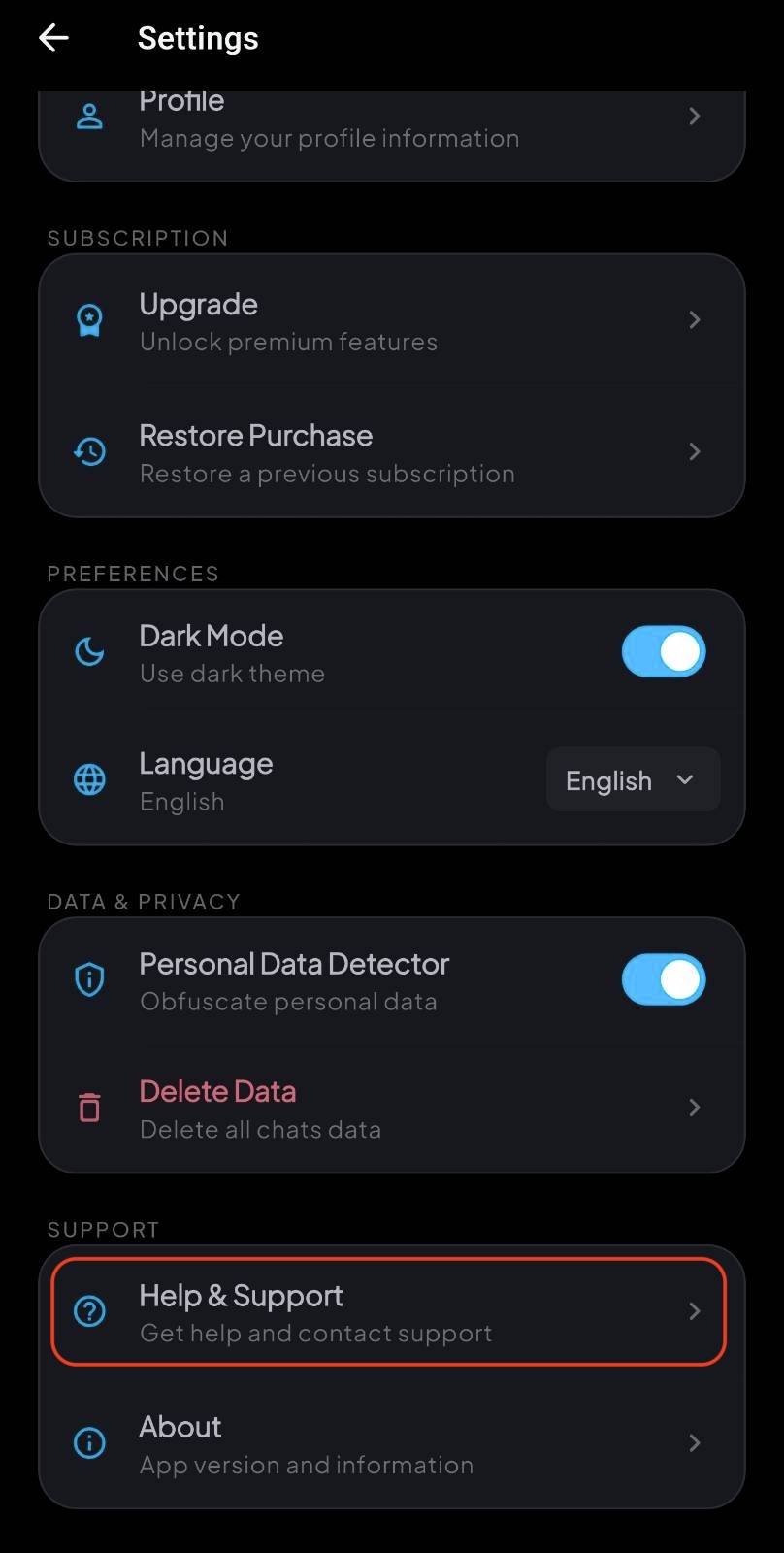
- Scroll to the Support section and tap Help & Support.
- Fill out the in-app contact form and submit your message.
02 Where to Find It
The screenshot below shows the Help & Support entry inside the in-app Settings screen:
03 Why In-App Only
Submitting from inside the logged-in app tells us which account to reply to and keeps our inbox clear of spam, so real users get faster answers.
04 Before You Contact Us
To help us resolve your issue faster, please include in your message:
- A short description of what you were trying to do.
- What happened instead, and any error message shown by the app.
- Screenshots of the issue, if you have them. You can attach them directly in the in-app form.
If your question is about billing or your Pro subscription, please also note whether you purchased it through the Apple App Store or the Google Play Store.